 Keeperly
Keep the best.
Clear the rest.
Keeperly finds the duplicates, similar shots, blurry photos and screenshots in your Google Photos™ library, and selects them for you to delete.
Runs on your computer. Nothing is uploaded. You confirm every delete.
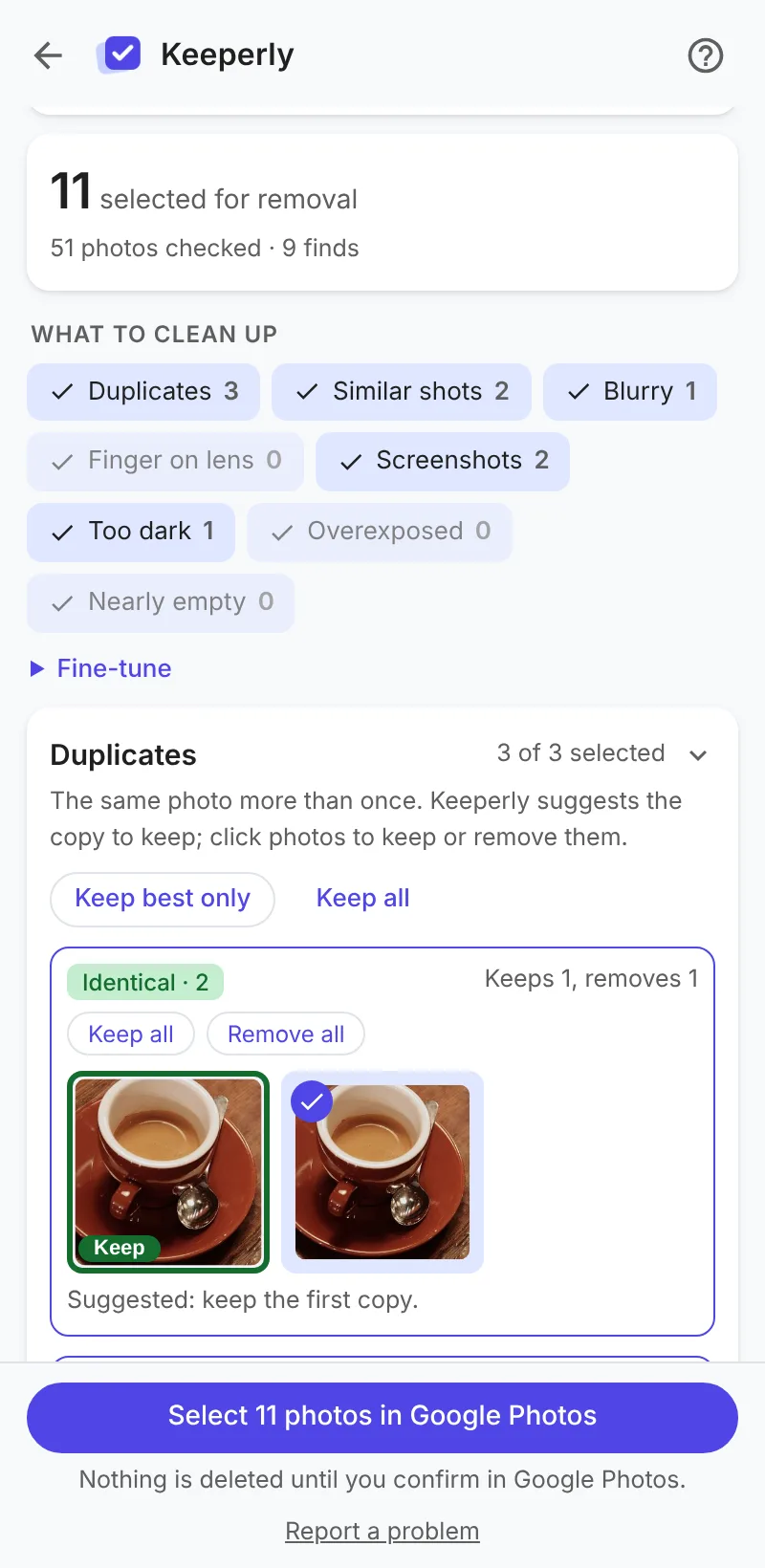
What it finds
Pick the kinds you want to clean up. Everything found starts selected; untick what you want to keep.
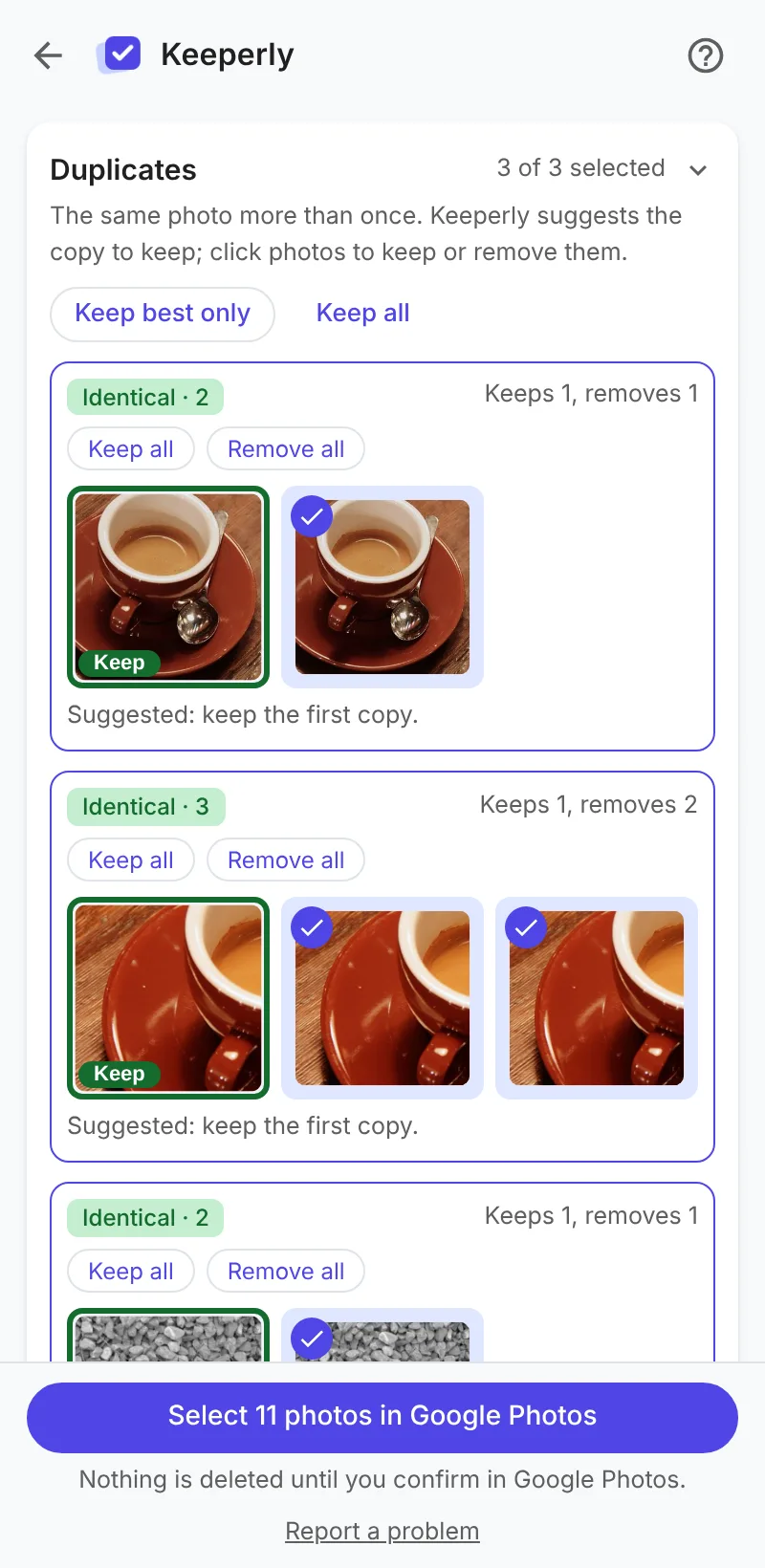
Duplicates
The same photo more than once. Keeperly suggests the copy to keep.
Similar shots
Bursts and retakes. Keeperly suggests the sharpest.
Blurry
Out of focus or shaken.
Screenshots
From your phone or computer.
Too dark, overexposed
Pocket shots and washed-out photos.
Finger on the lens
Something covering part of the picture.
Documents AI
Receipts, labels, slides: photos taken as a reminder.
Taken by accident AI
Ceilings, floors, walls and empty sky.
AI kinds use Smart scan: an AI model that runs on your computer, downloaded once.
How it works
Open Google Photos
On photos.google.com, open the Keeperly panel and start a revision.
Review
See what was found, side by side. Rest the pointer on a photo to see it larger.
Select and delete
Keeperly selects the photos and opens Google's delete dialog. You confirm.
You stay in control
- Keeperly never deletes on its own. You confirm in Google Photos.
- Deleted photos stay in Google Photos' Trash for 60 days.
- In every group you choose what to keep: one copy, several, or all.
Private by design
- Every photo is checked on your computer. Nothing is uploaded.
- No account, no tracking, no ads.
- Works on the Google Photos website you already use.
Pricing
No subscription. Try everything for free; pay once if it helps.
Free
- Every kind of cleanup, including Smart scan
- 100 photos per revision
- Run it as often as you like
Pro
- Everything in Free
- Any number of photos per revision: your whole library at once
- All future updates
Prices include VAT where it applies. Payment by Creem, our merchant of record. 14-day refund, no questions asked. Terms of sale.
Questions
Does Keeperly delete my photos?
No. It selects them in Google Photos and can open Google's own "Move to trash?" dialog; only you can confirm. Deleted photos stay in Google Photos' Trash for 60 days.
Are my photos uploaded anywhere?
No. Keeperly checks small thumbnails on your own computer and keeps only fingerprints (ids and scores) in your browser. With Pro, only your license key is checked with our server.
Which browsers does it work in?
Chrome on a computer (Windows, macOS, Linux, ChromeOS). It works on the Google Photos website, in any language.
How big a library can it handle?
Tens of thousands of photos. Larger libraries work best in parts: the free version does 100 photos per revision, Pro any number.
What is Smart scan?
An optional AI model (CLIP) that runs on your computer to find documents, accidental shots and motion blur. It's downloaded once, about 150–250 MB.
Is Keeperly made by Google?
No. Keeperly is an independent tool, not affiliated with or endorsed by Google.